Your subscription
Explore your options
- Compare the total price
- Check the billing period
- Read the renewal conditions
IPTV UK PLANS
Explore subscription options, check device compatibility and find straightforward setup guidance.

FIND YOUR PLAN
Compare the details that matter: the total price, the billing period and the connections you need.
Tell us what you need. Ask for current plan details before sending an order request.
Explore your options
Check your device
Understand your player
Get the details
Useful guidance to understand your options, check compatibility and get set up with confidence.
Check the available content and viewing conditions before choosing a subscription.

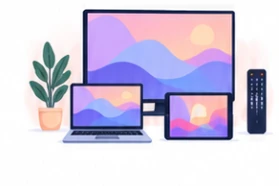
START WITH YOUR DEVICE
Check the device you already use before choosing a subscription or installing a player.
HOW IT WORKS
Check the essentials, compare the offer and follow the right setup instructions.
Make sure the device and application fit the setup you have in mind.
Compare the total price, period, connection limit and renewal conditions.
Use the instructions for your exact device and application.
Confirm compatibility before choosing a plan.
LEARN MORE
A player displays the content supplied by a service. The application and the subscription may involve separate costs.
Check the total price, the period it covers and what happens at renewal before choosing a plan.
Confirm the device model and player application before paying for a subscription or new hardware.
Compare more than the headline price.
Read guide : What to check before choosing a planUnderstand what each part of your setup does.
Read guide : IPTV players and subscriptions explainedCheck device compatibility, review the total price and billing period, and read the connection and renewal conditions before sending a request.
Note your device model, operating system and application name. Use the device guidance or contact support with those details before choosing a plan.
An IPTV player is an application used to display streams provided by a service. Installing a player does not itself provide a content subscription.
Start with the setup guides and help centre. For a specific question, include your device model, application and any error message without sharing passwords.
No. The form saves an order request. The reference shown afterwards confirms receipt of that request; it is not a payment receipt or proof of activation.